
Transfer songs from your iPod to your PC
There's nothing more annoying with iTunes than the way it prevents you from copying songs from your iPod into iTunes itself.
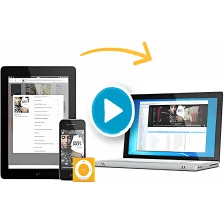
Fortunately, applications such as iRip (formerly known as iPodRip) make this problem a thing of the past by unlocking your iPod so that you can use it as you want. iRip transfers music from your iPod back to your iTunes Library, allows you to listen to music directly on your iPod (thus saving valuable disk space) and it supports major formats: i.e. MP3, AAC, and Audible.com Content. iRip could be particularly useful in a situation where your Mac has crashed and your iPod remains the only place where you've saved all of your music.
When you start iRip, you're asked if you want to perform a manual or automatic transfer to iTunes. We opted for manual, and you simply select a track and then click the 'Import' button at the bottom of the interface. When the transfer is complete, a green tick appears next to the track. You can also play songs with the playback controls at the bottom of the interface. There are very few preferences but in an application as simple as this, you don't really need any.
The only annoying thing is that a nag screen floats permanently next to iRip asking you to register and telling you that you only have 100 song transfers left. It also tends to occasionally import ratings incorrectly so don't be surprised if some of your tracks appear downgraded when imported.
Simple to use and very fast, iRip is definitely a powerful unlocking solution for iPods.
Fixed bug that prevented iRip from importing files
Changes
Fixed bug that prevented iRip from importing files






























User reviews about iRip
by Anonymous
iRip is a Rip Off!!.
iRip is a rip off! It does not work! Please don't waste your money! Customer service is nonexistent